MAKER · JAVA + BEDROCK
Find every ore — the x-ray that really works
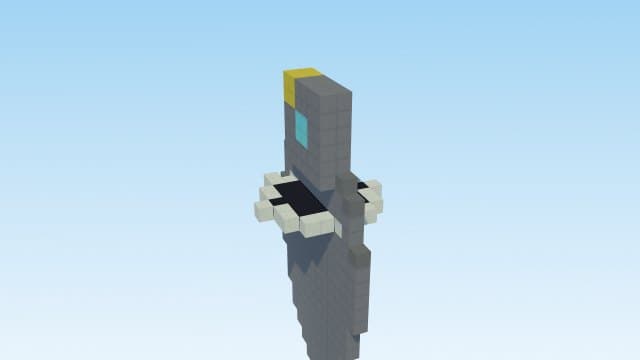
Texture-pack x-rays are broken by design (the renderer draws blocks opaque — you get black walls, not vision). This maker uses real game mechanics instead: on Java, every ore within 5 blocks gets a glowing outline you can see THROUGH terrain while you hold a pickaxe; on Bedrock/Pocket Edition, your action bar becomes a live ore radar with counts, direction and depth.
Try it right here
Free, no account — one mod a day, and a refusal never costs you one.
Actual generated output
a Java datapack ore-radar with true through-the-wall vision: while you HOLD A PICKAXE, every ore within 5 blocks gets a glowing outline you can see through terrain (refreshes every 2s; put the pickaxe away to turn it off). Drop the .zip in datapacks/ and /reload
- Format
- Java datapack
- Edition
- Minecraft Java
- Download
- ore-radar-x-ray.zip
- Version context
- Generated target: 26.3
Included files (11)
README.txt
data/minecraft/tags/function/load.json
data/minecraft/tags/function/tick.json
data/xray/function/cycle.mcfunction
data/xray/function/load.mcfunction
data/xray/function/mark.mcfunction
data/xray/function/scan.mcfunction
data/xray/function/tick.mcfunction
data/xray/tags/block/ores.json
pack.mcmeta
pack.png
Installation and verification
- Back up your Java world and confirm the target Minecraft version in pack.mcmeta and README.
- Place the zip in that world's datapacks folder. pack.mcmeta must be at the zip root.
- Run /reload and /datapack list enabled with permission to use commands. Follow the pack's README for its start function and gameplay controls.
This file inventory is produced from the example prompt by the repository generator. Structural checks do not prove every gameplay interaction, performance level, device or future Minecraft version. Generated assets can conflict with other packs.
How pack validation worksHow it works
- 1Describe it: "x ray to see ores" — pick Java for glow-through-walls, Bedrock/PE for the radar.
- 2Install it (datapack .zip into datapacks/ + /reload, or one-tap .mcpack on Bedrock).
- 3Hold any pickaxe — ores glow (Java) or the radar reads out on your action bar (Bedrock). Put it away to stop.
Questions people ask
Why not a texture pack x-ray?
Vanilla renderers ignore transparency on opaque blocks — transparent textures show BLACK, not see-through. Mechanics (glow outlines, radar) are the honest way that works on every device.
Only while holding a pickaxe?
Yes — the classic ask, honored literally. Swap the pickaxe away and the x-ray stops; hold it again to resume.
Is this cheating?
On most servers, yes — treat it as a single-player/creative tool. It's your world, your rules.
Capabilities and limitations
Choose the correct edition and version before generating. Java datapacks use commands and data files rather than arbitrary Java code. Some item/mob features need a Bedrock add-on or Fabric project; inspect the actual output format instead of assuming editions are interchangeable.
Generated files pass structural checks, and representative packs have automated runtime tests. Test your particular creation in a copy of the world. Read the validation methodology.