MAKER · JAVA
Make a texture pack without opening an editor
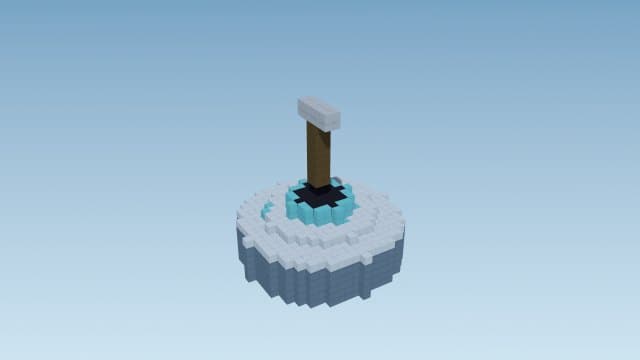
Say what you want re-skinned and in what theme — fire swords, galaxy pickaxes, icy ores — and the engine paints 16×16 pixel-art textures from hand-made stencils, recolored to your theme, and packages them with the correct pack format for your Minecraft version.
Try it right here
Free, no account — one mod a day, and a refusal never costs you one.
Actual generated output
a fire-themed Java resource pack re-skinning 30 item textures — drop it in resourcepacks/ and enable it
- Format
- Java resource pack
- Edition
- Minecraft Java
- Download
- fire-swords-tools.zip
- Version context
- Generated target: 26.3
Included files (33)
README.txt
assets/minecraft/textures/item/diamond_axe.png
assets/minecraft/textures/item/diamond_hoe.png
assets/minecraft/textures/item/diamond_pickaxe.png
assets/minecraft/textures/item/diamond_shovel.png
assets/minecraft/textures/item/diamond_sword.png
assets/minecraft/textures/item/golden_axe.png
assets/minecraft/textures/item/golden_hoe.png
assets/minecraft/textures/item/golden_pickaxe.png
assets/minecraft/textures/item/golden_shovel.png
assets/minecraft/textures/item/golden_sword.png
assets/minecraft/textures/item/iron_axe.png
assets/minecraft/textures/item/iron_hoe.png
assets/minecraft/textures/item/iron_pickaxe.png
assets/minecraft/textures/item/iron_shovel.png
assets/minecraft/textures/item/iron_sword.png
assets/minecraft/textures/item/netherite_axe.png
assets/minecraft/textures/item/netherite_hoe.png
assets/minecraft/textures/item/netherite_pickaxe.png
assets/minecraft/textures/item/netherite_shovel.png
assets/minecraft/textures/item/netherite_sword.png
assets/minecraft/textures/item/stone_axe.png
assets/minecraft/textures/item/stone_hoe.png
assets/minecraft/textures/item/stone_pickaxe.png
assets/minecraft/textures/item/stone_shovel.png
assets/minecraft/textures/item/stone_sword.png
assets/minecraft/textures/item/wooden_axe.png
assets/minecraft/textures/item/wooden_hoe.png
assets/minecraft/textures/item/wooden_pickaxe.png
assets/minecraft/textures/item/wooden_shovel.png
assets/minecraft/textures/item/wooden_sword.png
pack.mcmeta
pack.png
Installation and verification
- Put the zip in the Java resourcepacks folder, then enable it in Options → Resource Packs.
- Check the selected version and pack.mcmeta. Resource packs change visuals; they do not add gameplay by themselves.
- Check pack priority if another resource pack replaces the same textures. Test the actual rendered items in game.
This file inventory is produced from the example prompt by the repository generator. Structural checks do not prove every gameplay interaction, performance level, device or future Minecraft version. Generated assets can conflict with other packs.
How pack validation worksHow it works
- 1Describe it: "a fire texture pack for swords and tools" — 12 themes and whitelisted gear/block targets are understood.
- 2Drop the downloaded zip into your resourcepacks folder.
- 3Enable it in Options → Resource Packs and your gear is re-skinned.
Questions people ask
Are the textures AI-generated images?
No — they're deterministic pixel stencils (sword, pickaxe, axe, bow…) recolored per theme, so they always look clean at Minecraft's native 16×16.
Will it work on my version?
Yes — the pack.mcmeta format is chosen from your selected Minecraft version, including the new 26.x resource formats.
What about Bedrock?
Bedrock gets its own client-side add-on path — texture packs from this maker target Java's resourcepacks folder.
Capabilities and limitations
Resource packs change appearance; a texture alone does not add an item ability or new gameplay. Preview images illustrate the subject, and the in-game result depends on edition, version and pack priority.
Generated files pass structural checks, and representative packs have automated runtime tests. Test your particular creation in a copy of the world. Read the validation methodology.