MAKER · JAVA
Make a real Java .jar mod from one sentence
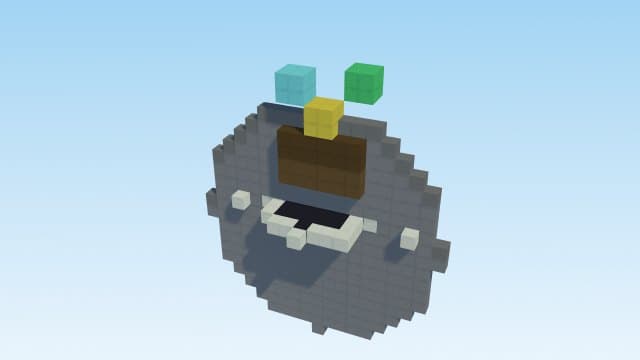
Ask for your custom item "as a fabric jar mod" and you get a complete, compile-ready Fabric source project: gradle build files, a mod class registering a genuinely new Java item, procedural icon, lang, recipe and a README. Run one gradle command — or use the desktop app's one-click build — and out comes a real .jar for your mods folder.
Try it right here
Free, no account — one mod a day, and a refusal never costs you one.
Actual generated output
a compile-ready Fabric 1.21.1 mod SOURCE PROJECT — a genuinely NEW Java item "Frostmourne" (frostmourne:frostmourne) with its own icon, creative-tab entry, lang and crafting recipe. Unzip it, run `gradle build` (JDK 21+), and your .jar lands in build/libs/ — the README inside walks through every step. It's MIT-licensed and yours: PUBLISHING.md shows how to list it on CurseForge or Modrinth and earn creator rewards from downloads
- Format
- Fabric source project
- Edition
- Minecraft Java
- Download
- frostmourne-fabric-mod.zip
- Version context
- Fabric 1.21.1 / Java 21 toolchain
Included files (12)
PUBLISHING.md
README.txt
build.gradle
gradle.properties
settings.gradle
src/main/java/com/minemodai/frostmourne/FrostmourneMod.java
src/main/resources/assets/frostmourne/icon.png
src/main/resources/assets/frostmourne/lang/en_us.json
src/main/resources/assets/frostmourne/models/item/frostmourne.json
src/main/resources/assets/frostmourne/textures/item/frostmourne.png
src/main/resources/data/frostmourne/recipe/frostmourne.json
src/main/resources/fabric.mod.json
Installation and verification
- Extract the source zip. Read its README and the bundled toolchain requirements.
- Install the required JDK and Gradle, then run gradle build from the project folder.
- Install matching Fabric Loader and Fabric API; put the compiled jar from build/libs in the mods folder. Test in a separate profile first.
This file inventory is produced from the example prompt by the repository generator. Structural checks do not prove every gameplay interaction, performance level, device or future Minecraft version. Generated assets can conflict with other packs.
How pack validation worksHow it works
- 1Describe it: "a custom sword called Frostmourne that freezes enemies as a fabric jar mod".
- 2Unzip the source project and run gradle build (JDK 21+) — or let the desktop app build it in one click.
- 3Drop build/libs/<mod>.jar into .minecraft/mods (Fabric Loader + Fabric API) and play.
Questions people ask
Will the project actually compile?
Yes — CI compiles a sample project to a .jar on every change to the generator, so the sample compile checks a representative output, not every possible request.
Do I own the code?
Fully — it's MIT-licensed readable Java, made to be edited. A PUBLISHING guide inside walks you through listing it on CurseForge or Modrinth, where downloads can earn creator rewards.
Why a source project instead of a finished .jar?
Compiling Java needs a real toolchain — a browser can't do it honestly. You get the source plus the exact one-command build; the desktop app even runs that command for you.
Capabilities and limitations
The exporter creates a source project for supported custom item requests, pinned to Minecraft 1.21.1. It does not deliver a precompiled jar or an arbitrary Java mod. Build locally with the bundled toolchain instructions; a sample CI compile cannot guarantee every request.
Generated files pass structural checks, and representative packs have automated runtime tests. Test your particular creation in a copy of the world. Read the validation methodology.