MAKER · JAVA + BEDROCK
Forge a custom tool with your name on it
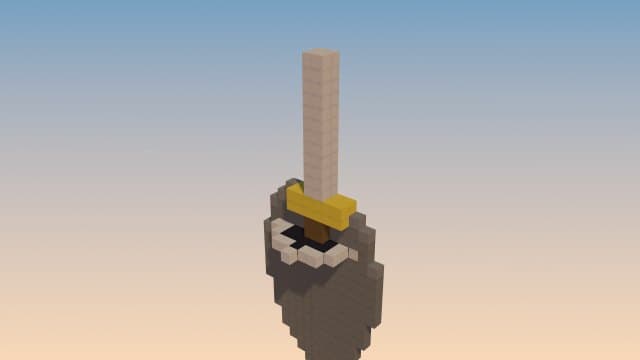
Not a renamed diamond pickaxe — a genuinely new tool id with its own procedurally-drawn icon, the durability you chose, and a crafting recipe. Ships as a one-tap Bedrock add-on, or as a compile-ready Fabric project if you ask for a .jar.
Try it right here
Free, no account — one mod a day, and a refusal never costs you one.
Actual generated output
a BRAND-NEW item "Star Digger" (mma:star_digger) with its own galaxy-themed icon — a pickaxe with 6 total attack damage (+5 item damage) and 750 durability; digger speed setting 12 on stone, cobblestone, deepslate, coal ore, iron ore and diamond ore (not a measured tool-speed multiplier). Craft it from 3× amethyst shard + 2× ender eye + 2× stick, and you get one free on first join
- Format
- Bedrock add-on
- Edition
- Minecraft Bedrock
- Download
- star-digger.mcaddon
- Version context
- Manifest minimum: 1.21.70, 1.21.70
Included files (12)
README.txt
behavior_pack/items/star_digger.json
behavior_pack/manifest.json
behavior_pack/pack_icon.png
behavior_pack/recipes/star_digger.json
behavior_pack/scripts/main.js
resource_pack/manifest.json
resource_pack/pack_icon.png
resource_pack/texts/en_US.lang
resource_pack/texts/languages.json
resource_pack/textures/item_texture.json
resource_pack/textures/items/mma_star_digger.png
Installation and verification
- Back up a Bedrock world. Open the mcpack or mcaddon with Minecraft on a device that supports local pack imports.
- Activate the imported behavior and resource packs on the same world when both are included.
- Read README and manifest.json for the minimum engine version, script dependencies and controls. Test in a copy of the world; console file-import workflows vary.
This file inventory is produced from the example prompt by the repository generator. Structural checks do not prove every gameplay interaction, performance level, device or future Minecraft version. Generated assets can conflict with other packs.
How pack validation worksHow it works
- 1Describe it: "a custom pickaxe called Star Digger that mines fast" — name, stats and theme are parsed.
- 2Import the .mcaddon (Bedrock), or add "as a fabric jar mod" to get Java source you can compile.
- 3You get one on first join; craft more with its recipe.
Questions people ask
Is it a real new tool?
Yes — a new item id with its own icon and recipe on Bedrock, or a registered Java item in the Fabric source project.
Can I set its durability?
Yes — name a durability in the prompt and it's applied to the item.
Java too?
Add "as a fabric jar mod" and you get a compile-ready Fabric project instead of a Bedrock pack.
Capabilities and limitations
Choose the correct edition and version before generating. Java datapacks use commands and data files rather than arbitrary Java code. Some item/mob features need a Bedrock add-on or Fabric project; inspect the actual output format instead of assuming editions are interchangeable.
Generated files pass structural checks, and representative packs have automated runtime tests. Test your particular creation in a copy of the world. Read the validation methodology.